

Instrument panels and avionics were long the piece you put off: too expensive, too specialized, often something you had to build yourself. Now that MOZA Racing has rounded out its flight range, and Honeycomb, Logitech and Winwing already hold the ground, the question has changed. It’s no longer “does it exist” but “in what order do I buy it.” That’s exactly what I want to lay out here: a buying order, from the first panel that genuinely changes something to the full ecosystem. For the bases, sticks and rigs, it’s all in our complete PC flight sim guide; here, I’m only talking about the instruments.
First: what do you fly?
That’s the only thing to settle before reaching for your card, because it locks the whole shopping list. An Airbus unit is useless if you spend your evenings on a 737, and an airliner panel has no point if you mostly fly a Cessna or fighters.
- Airbus: you need the FCU (autopilot) and the MCDU (flight plan). It’s the best-stocked world in hardware right now.
- Boeing: same logic, different vocabulary, the CDU replaces the MCDU, and the hardware offering is thinner.
- General aviation: no separate FMS unit like on Airbus or Boeing, but a glass cockpit (the Garmin G1000 suite), where that logic is built into the screen.
- Combat / DCS: a world apart, with the F/A-18’s screens and front console.
I won’t spell out the vocabulary in detail, you probably already know it. What interests me is the order in which these pieces earn their price.
The first buy: the most cockpit for the least money
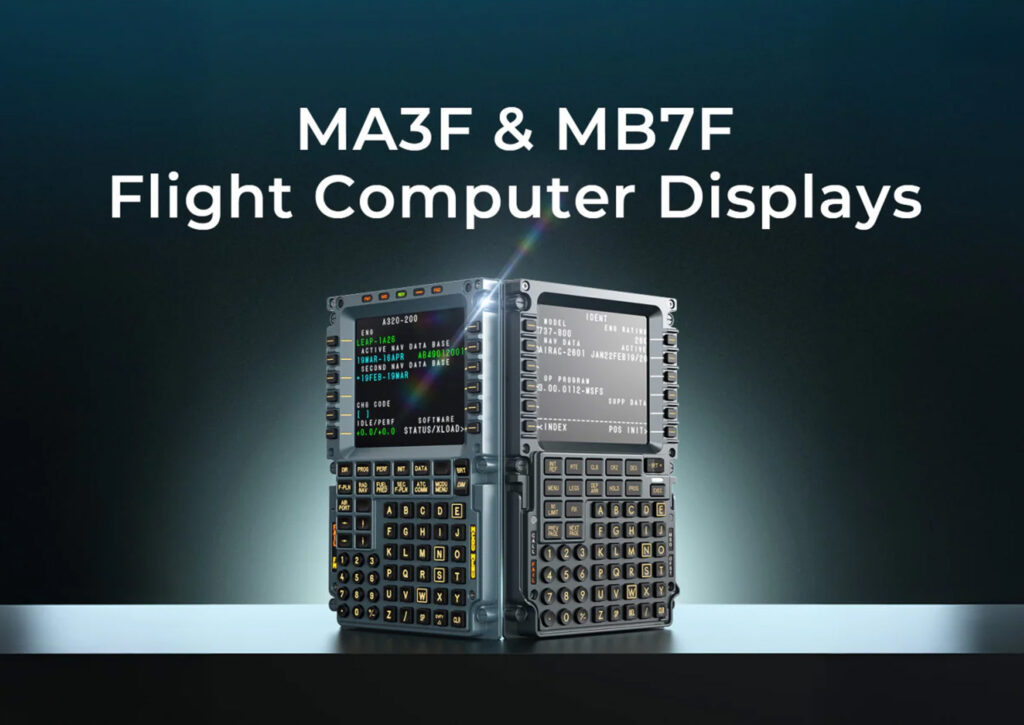
If I could only take one, it would be the FMS unit. It’s the one that transforms a session the most: prepping a flight with the keypad in hand, instead of clicking around a 2D screen with the mouse, is a different game entirely. At MOZA, that means the MA3F FCD (the A320 MCDU) or the MB7F FCD (the 737 CDU) depending on your camp. What I like about the approach: the faceplate gives you the real keys, so muscle memory builds up, even though the FMS logic itself still has to be learned in the add-on.
In practice, it changes the very nature of a session. Instead of rushing the prep in two clicks, you sit down, enter the route and the performance on the pad, and read through your pages before pushback. The flight starts before takeoff, and that extra bit of ritual is exactly why so many of us stick with flight sim. A touchscreen fools you for two weeks; a real unit, you never tire of. And if I put the unit ahead of the autopilot panel, it’s a matter of contact time: on every flight, you spend far more minutes buried in the FMS than fingers on the FCU.
Tighter budget? I won’t knock the modular route. The Logitech Pro Flight range (Switch, Radio, Multi Panel) doesn’t look like much, but it covers the essentials for a fraction of the price. It’s a genuine starting point, not a consolation prize.
The step that tips you into a “real cockpit”
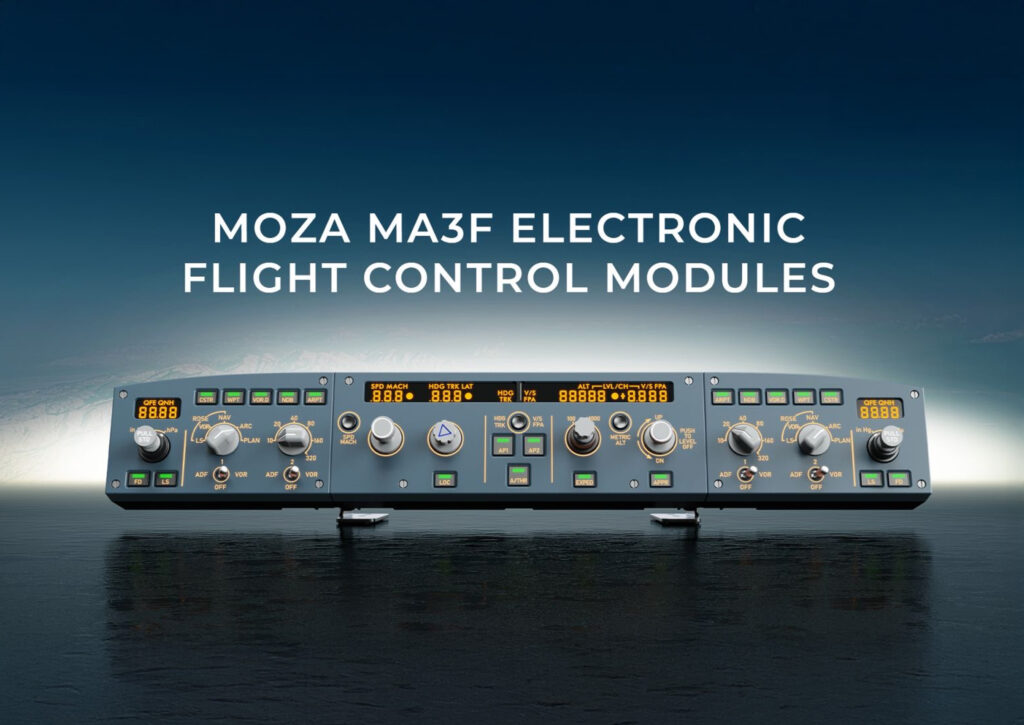
Once the FMS is in place, the second buy still depends on the discipline, and that’s where the setup becomes a cockpit.
On Airbus, I’d add the MA3F EFCM: the FCU and the EFIS sections, with those push/pull knobs that bring back the aircraft’s feel. It comes in three sizes (the FCU alone, the FCU plus one EFIS, or the full suite), so you can spread the spend, and that’s exactly the kind of breakdown I like to see: you’re not forced to pay for everything at once to start setting your altitudes and headings on a knob rather than a keyboard.
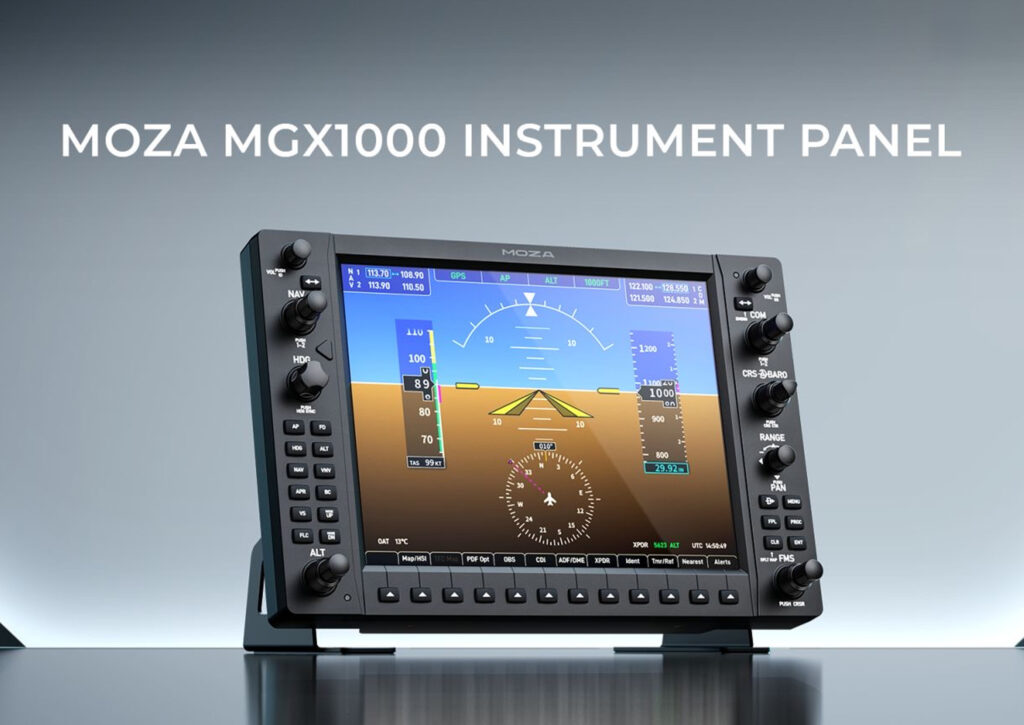
In general aviation, the step up is the glass. The MGX1000 reproduces the G1000 suite on a 10.4-inch screen, and each unit switches between PFD and MFD: two modules and the cockpit’s display is complete. The thing I’d check before buying: the video runs over DisplayLink through USB, not HDMI. In practice that’s a good thing, it leaves you a free graphics-card output. MOZA targets the natively G1000-equipped aircraft in MSFS and X-Plane, from the Cessna 172 to the DA40.
A word on the throttles, since I always get the question: on Airbus the levers stay in their detents while the FADEC works; on Boeing they move on their own. Few consumer quadrants reproduce that motorized movement, and the MOZA MTQ isn’t one of them: its TQA (Airbus) or TQB (Boeing) levers play on feel and layout, not on the automation. File it under comfort buys, not priorities.
What I wouldn’t rush
Let’s be blunt, because this is where you burn a budget for nothing. A few buying-order traps I’d avoid:
- Starting with combat. The Hornet front console is gorgeous, but it’s a specialist piece: if you don’t live in DCS, that’s not where you build a station.
- Buying for a discipline you don’t actually fly. A brand-new Airbus MCDU gathering dust because deep down you prefer the 172 happens more often than you’d think.
- Chasing motorized levers. Tempting on paper, but on a home cockpit it’s a costly niche; the feel of a good detented quadrant is plenty.
- Believing the panel replaces the learning. The faceplate gives you the keys, not the procedure; without a solid add-on tutorial behind it, even the finest MCDU stays a glowing paperweight.
What I want to see before I call it
I’m not going to sell you a final verdict on hardware I haven’t had in hand for hours yet. A few points I intend to judge closely: the real build quality of the faceplates, and above all the key travel, because that’s the whole point of a true unit. The maturity of the MOZA Cockpit software too, because an ecosystem is only worth it if the mapping keeps up without a headache. And how DisplayLink behaves in practice, on display smoothness, when two screens run alongside the sim. Those are the questions I’m asking, and the ones I’m waiting on first impressions for before recommending blind. A handsome panel that disappoints in use has happened to me before, and it’s exactly the kind of detail no spec sheet will admit to.
The endgame: when the ecosystem takes over
This is the step where my reasoning flips completely. Taken on its own, a MOZA panel compares to a Honeycomb or a Winwing, and that’s it. Taken over time, what weighs is the number of brands and pieces of software you pile up. Five USB drivers, five mapping utilities, five sets of updates to follow: that’s where setups seize up.
MOZA’s appeal, to my mind, is that it closes the whole chain inside a single piece of software, MOZA Cockpit: force-feedback base, stick or Airbus sidestick, rudder pedals, throttles, and now the panels and the glass. And those panels mount on VESA 75, so on a monitor arm or a profile rig, without rigging up an adapter. For combat, that’s the specialist branch: the FMP18 brings the F/A-18’s front console (the DDIs, the AMPCD, the FPP front panel) with magnetic mounting. It’s clearly not where I’d start, but for a DCS die-hard already equipped, it rounds out the station.
In short, the ecosystem isn’t the first purchase to recommend. It’s a trajectory: you get there piece by piece, and it’s precisely when the setup grows that it pays off. At one piece, the math is debatable; at five, the question of one shared piece of software and one consistent mounting standard always ends up back on the table.
The competition: who I’d consider at each step
To place MOZA honestly, here’s what I keep in mind depending on the moment:
- To start in GA: Honeycomb (Alpha yoke and Bravo quadrant with its warning lights) is still a hard entry point to beat. The combo already covers the flying and part of the automation, which makes it a very cost-effective first step.
- On a tight budget: Logitech Pro Flight, the most affordable modular option. You stack the modules over time, and it’s unbeatable for getting your hands in without commitment.
- For combat: Winwing has been established for a long time (MFDs, Hornet UFCs, and a recent MCDU), with VKB on the controls around it. If you swear by DCS, it’s the most credible rival ecosystem.
- To close the ecosystem: MOZA, as soon as you want to drive everything from one piece of software and stop juggling brands.
None of these brands is a bad choice to get started. The difference plays out over the long run, on the coherence of the whole.
So, what do you put first?
My own order, then: the FMS unit first, the autopilot panel or the glass next, and the full ecosystem for those who make it a real part of their setup. Combat off to the side, for the DCS enthusiasts.
But there’s no single answer, and that’s what makes the subject interesting. Would you start with the MCDU to keep your hands busy during prep, with the glass for your approaches, or straight away with the Hornet front console? Tell me which panel you’d build your cockpit around first.


0 Comments